
Overview
This document gives an overview of the management of users and the assignment of permissions within the system.
Introduction
Cloudmore is a comprehensive platform that brings together sellers, brokers, and organizations to facilitate seamless business operations.
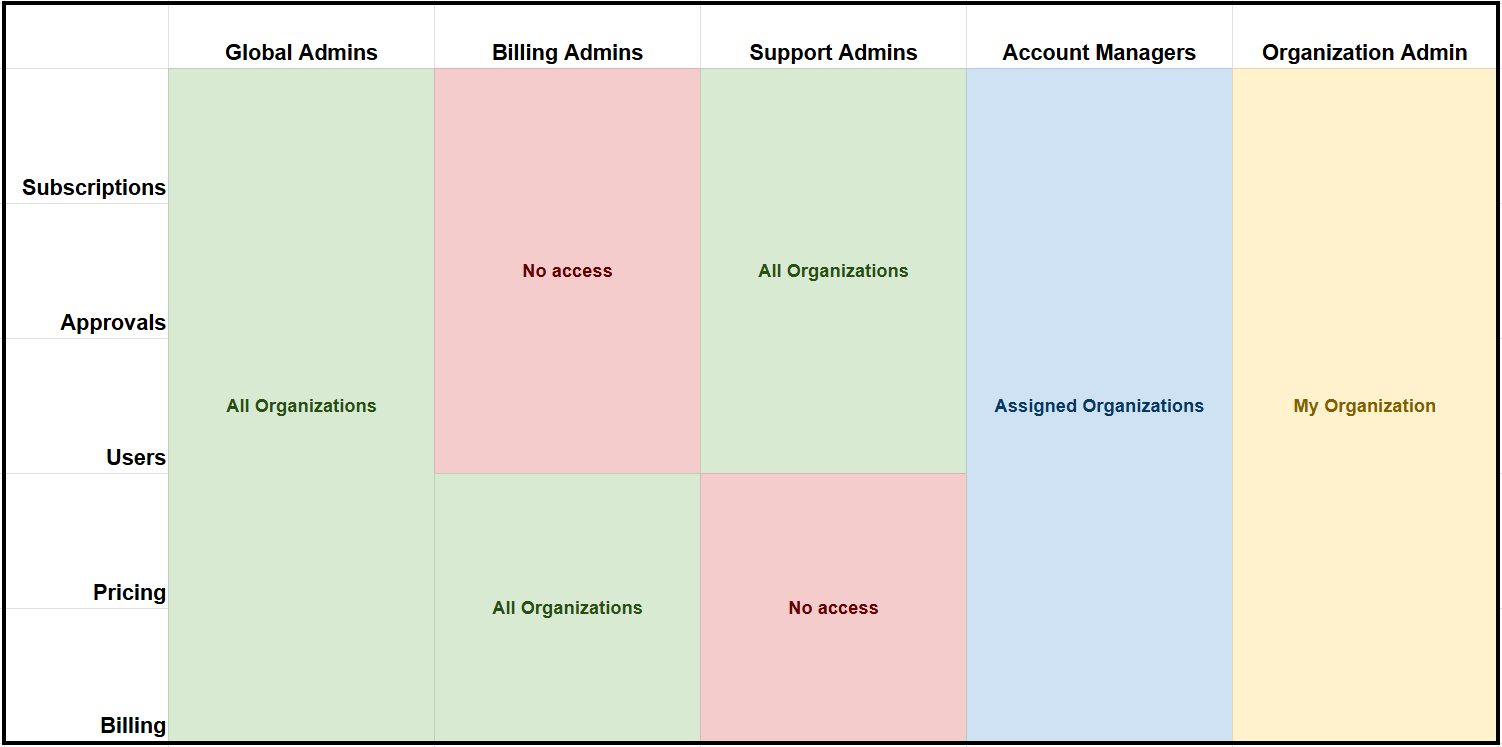
Within the platform, it is possible to create users with different roles based on the type of customer, and the permissions assigned to each user type vary accordingly.
These roles and permissions are designed to ensure that each user has the appropriate access and capabilities based on their specific responsibilities, contributing to a streamlined and secure user management experience.
Broker User Management
Broker User Management involves managing user accounts and assigning roles to users, determining the nature of access to resources within the broker company. For more information, refer to Broker User Management.
Organization User Management
Organization User Management involves the processes and policies for managing user accounts and assigning roles to users, which determines the nature of access to resources within an organization. For more information, refer to Organization User Management.
Common User Fields
Important fields for Users
-
Username - this is the email that users will use to log into the platform
-
The 2nd part of the username is the organization domain selector. Primary domain is selected by default.
-
-
Email - this is the primary email where users will receive their report exports and initial password.
-
Password setting - how will the user receive their password to log into the platform.
-
Phone - the phone number that will be used for MFA, when the MFA is turned on in the Organization Security Center.
Password requirements and options
There are following ways to specify a user password:
-
Autogenerate and send email to user - Strong 8 character password, with letters and numbers will be created and sent to the user’s email. The user creator will not know the password.
-
Let me specify and send email to user - Allows the user creator to specify a password. Once created an email with the password will be sent to the user.
-
Let me specify but don't send email to user - Allows the user creator to specify a password. Email will not be sent to the Organization user. This way you can manage the access communications yourself.
When specifying the password, it must follow these requirements:
-
Be at least 8 characters
-
Include at least 1 upper case letter
-
Include at least 1 lower case letter
-
Include at least 1 number
-
Include at least 1 special character (! @ # $ % ^ & * ( ) - + = { } [ ] : ; " ' < > , . ? / | \ ~ ` _)
-
Cannot contain parts of the username or user’s full name
Resetting your password
To reset/change your password, the following steps should be taken:
-
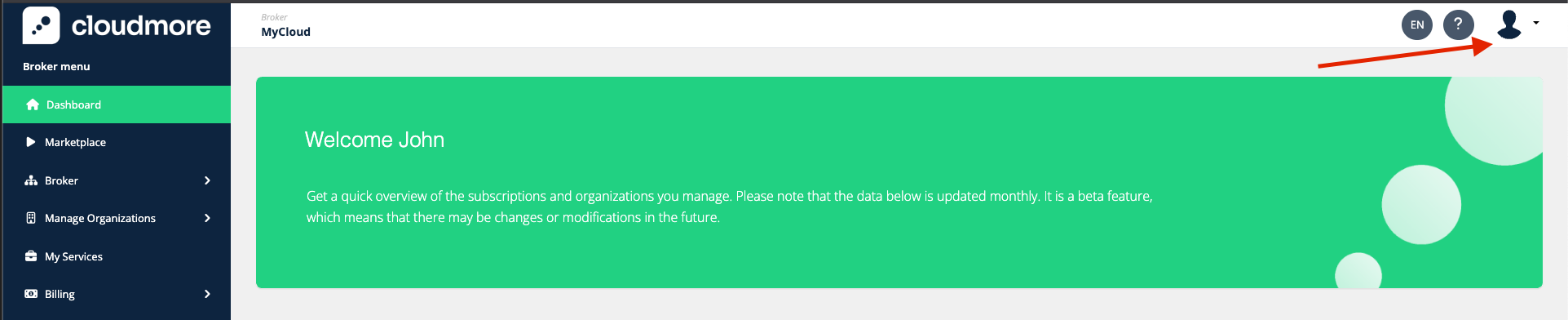
Click on the user icon in the top right corner.
-
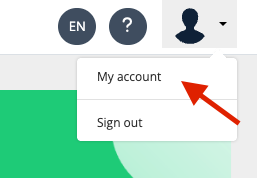
Then click on My account.
-
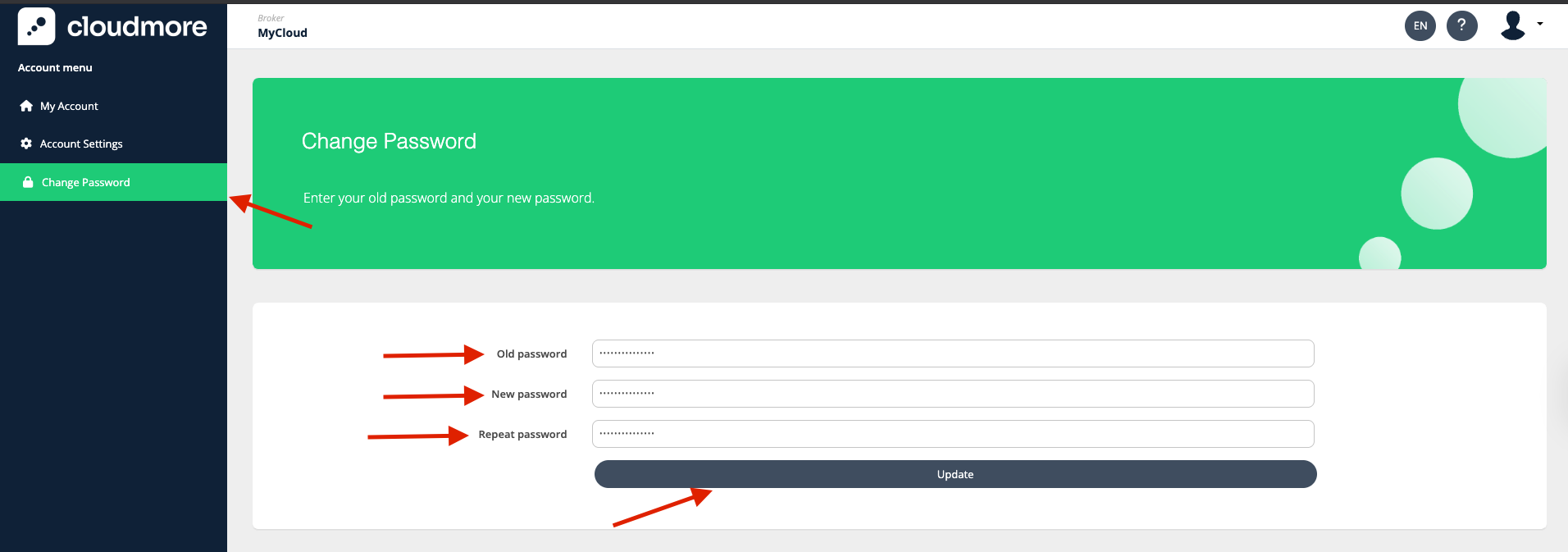
Click on Change Password on the left navigation panel. Enter your current password and also the new password.
-
On the click of Update, your password should successfully be updated.
Login Methods
Both Broker and Organization users can log in using either of these methods:
-
Username and password
-
Microsoft SSO
-
SAML SSO
Microsoft SSO
Microsoft SSO is a secure authentication method that allows users to log in once and gain access to multiple Microsoft services and third-party applications without needing to re-enter credentials for each one. For more information, refer to Microsoft SSO.
Single Sign On (SAML SSO)
SAML SSO is a way to let users log in once and access multiple apps without needing to log in again for each one. For more information, refer to Single Sign On (SAML SSO).