
Microsoft runs promotional offers on selected New Commerce Experience (NCE) seat-based products. Using Cloudmore you can check whether a purchase qualifies for an active promotion and apply it while you create the subscription, without leaving the create subscription view.
A Microsoft promotion discounts your cost price as a partner. The discount is a customer benefit and is expected to be passed on to your customer.
Eligibility is verified with Microsoft at the moment you click Verify, for the exact product, subscription length, payment frequency and quantity you have selected. If you change any of those, verify again.
Before you start
-
Eligibility can only be checked for a subscription that starts today. Microsoft cannot confirm eligibility for a future start date.
-
Promotions are available on certain products, in certain markets, for certain terms, and only until the promotion end date.
-
Promotions have their own eligibility rules, for example a minimum or maximum number of licenses, new customers only, a limited number of redemptions, or a limit of one purchase per customer. If your order does not match the rules, the promotion is not offered.
-
Microsoft publishes the active offers each month in the Global Promo Readiness Guide.
To apply a promotion when creating an NCE subscription:
-
On the Microsoft 365 CSP Direct Overview page, click Subscriptions
-
Scroll down to the end of the page, and click +Add New Commerce Experience subscriptionbutton
-
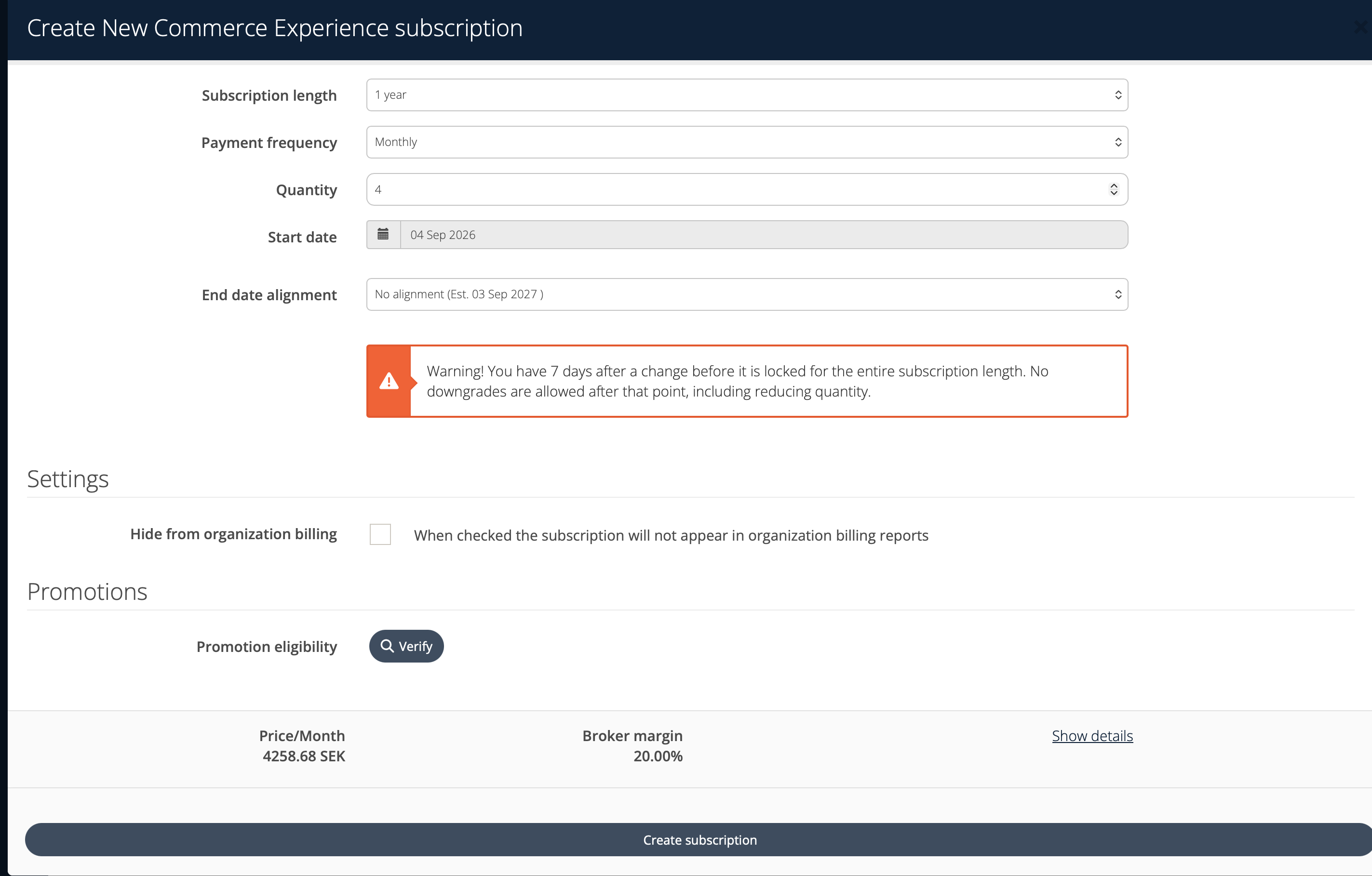
Fill in the subscription details: Segment, Product group, Product, Subscription length, Payment frequency and Quantity. Learn more about how to create an NCE subscription.
-
Leave Start date set to today's date
-
In the Promotions section, next to Promotion eligibility, click Verify
-
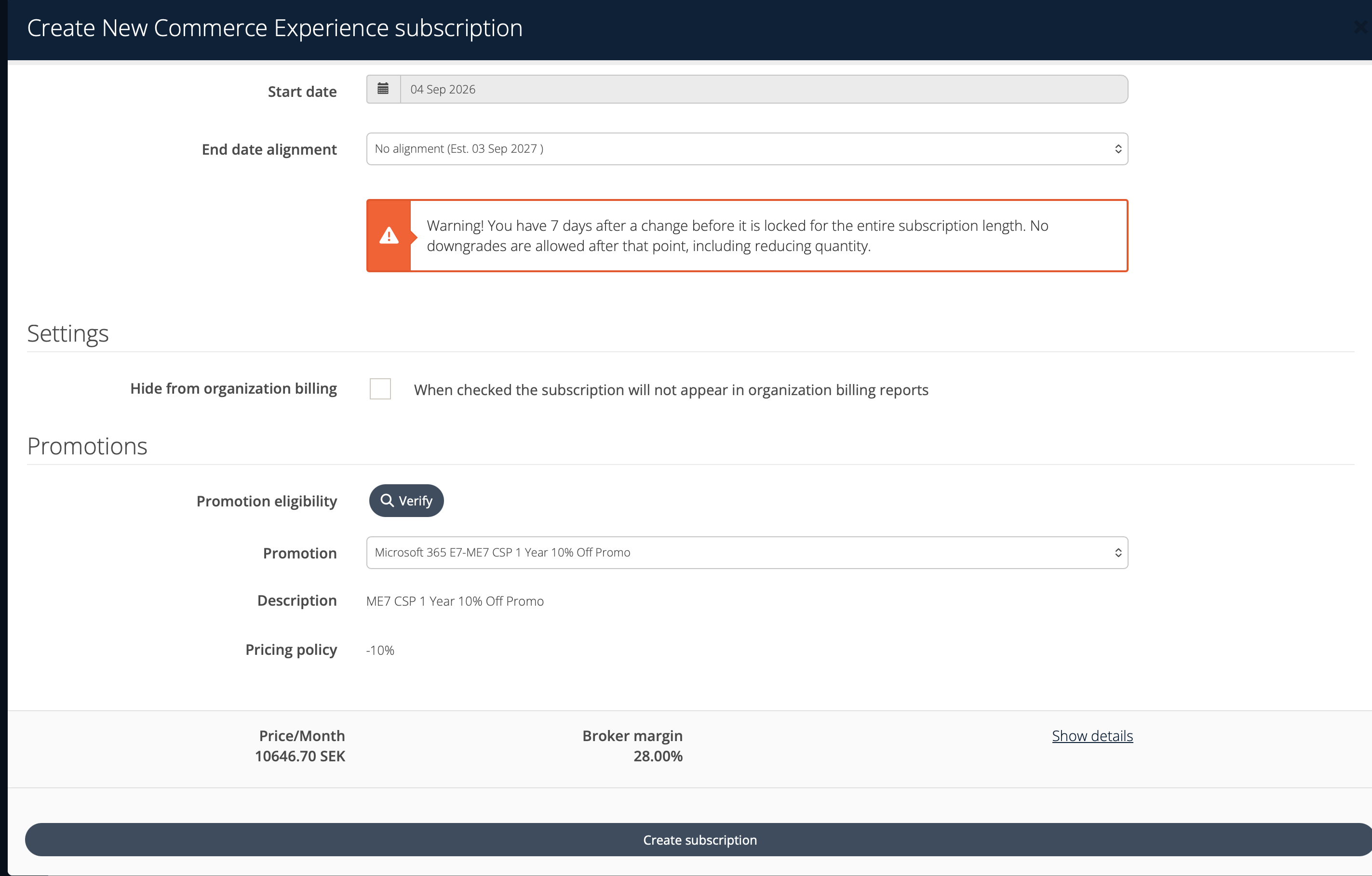
If the purchase qualifies, select an offer from the Promotion dropdown. The offer with the largest discount is selected for you. To create the subscription without a promotion, select Do not apply promotion
-
Check the Description and Pricing policy of the selected offer. Pricing policy shows the discount on your cost price, for example -10%
-
Check the price for the organization and your margin for the offer. Your margin increases because the promotion discounts your cost price
-
Complete the remaining fields and click Create subscription
Verify becomes available once you have selected a product. If you change the product, quantity, subscription length, payment frequency or start date after verifying, the Promotions section is cleared - click Verify again to check eligibility for the new order.
How a promotion affects your pricing
-
The promotion is applied to your cost price from Microsoft. The margin shown in the create subscription view is recalculated against the discounted cost.
-
The price for the organization is not changed by the promotion. To pass the discount on to your customer, set the sales price for the subscription as you normally would.
-
The discount applies to the term you purchased. When the promotion's end date passes, the existing subscription keeps the promotional cost price until the end of its current term, and no conversion is needed.
If no promotion is offered
Cloudmore displays This purchase does not qualify for any active promotions. when Microsoft has no active offer for that exact combination of product, subscription length, payment frequency, quantity and market. Before creating the subscription, you can:
-
Check the quantity against the promotion's minimum and maximum license rules
-
Select a different Subscription length or Payment frequency, as offers are usually term specific
-
Confirm the offer is still active for your market in Microsoft's promo readiness guide
If you have set a future start date, Cloudmore displays Eligibility check can only be performed with today's creation date. Set Start date to today to check eligibility, or create the subscription without a promotion.
Your customers can do the same in their own create subscription view: they can verify eligibility and select an offer, while cost and margin details stay visible to Broker level users only.