
Product add-ons are additional features that can be attached to a main product to enhance its value or functionality. Product add-ons can be added only after the products are added to a service.
Steps Involved In Creating a Product Add-On
-
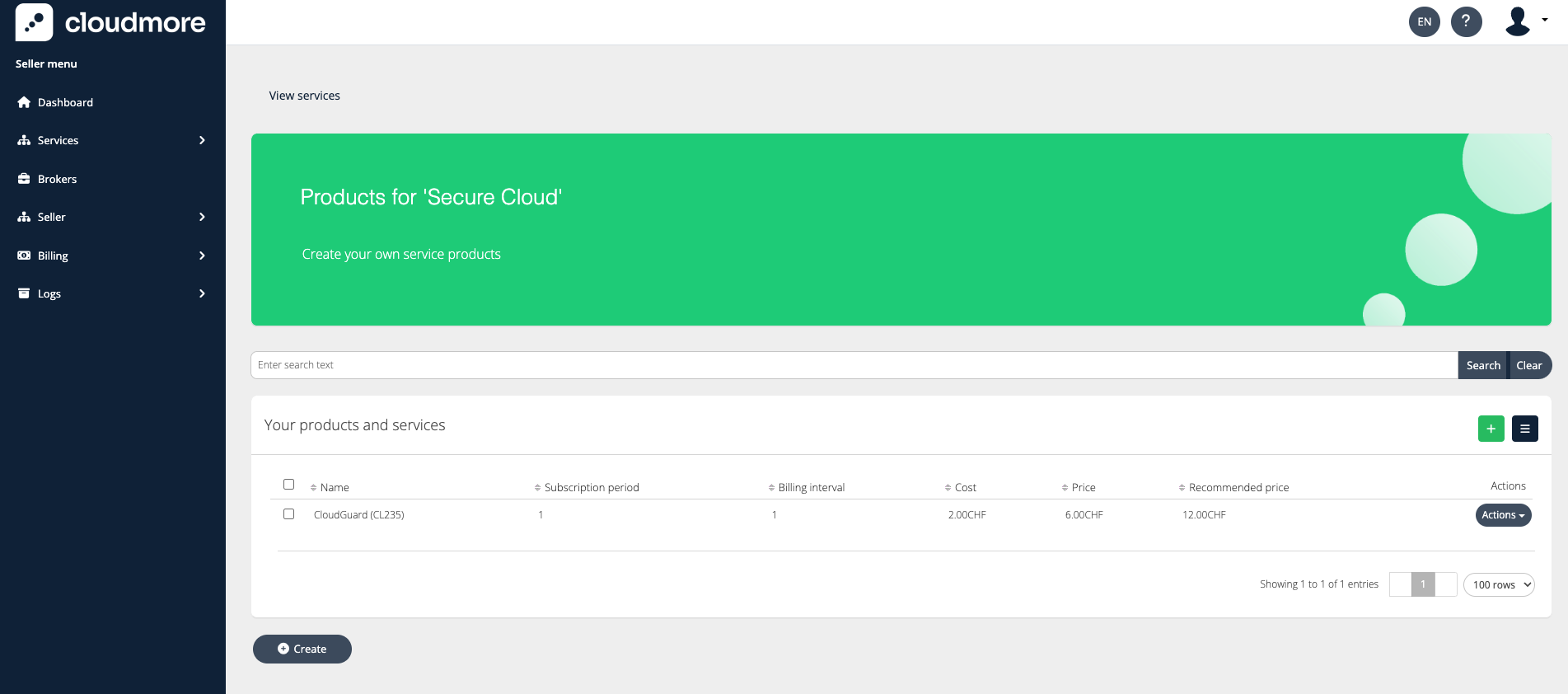
Navigate to the products Services > Custom Services > Action > Products
-
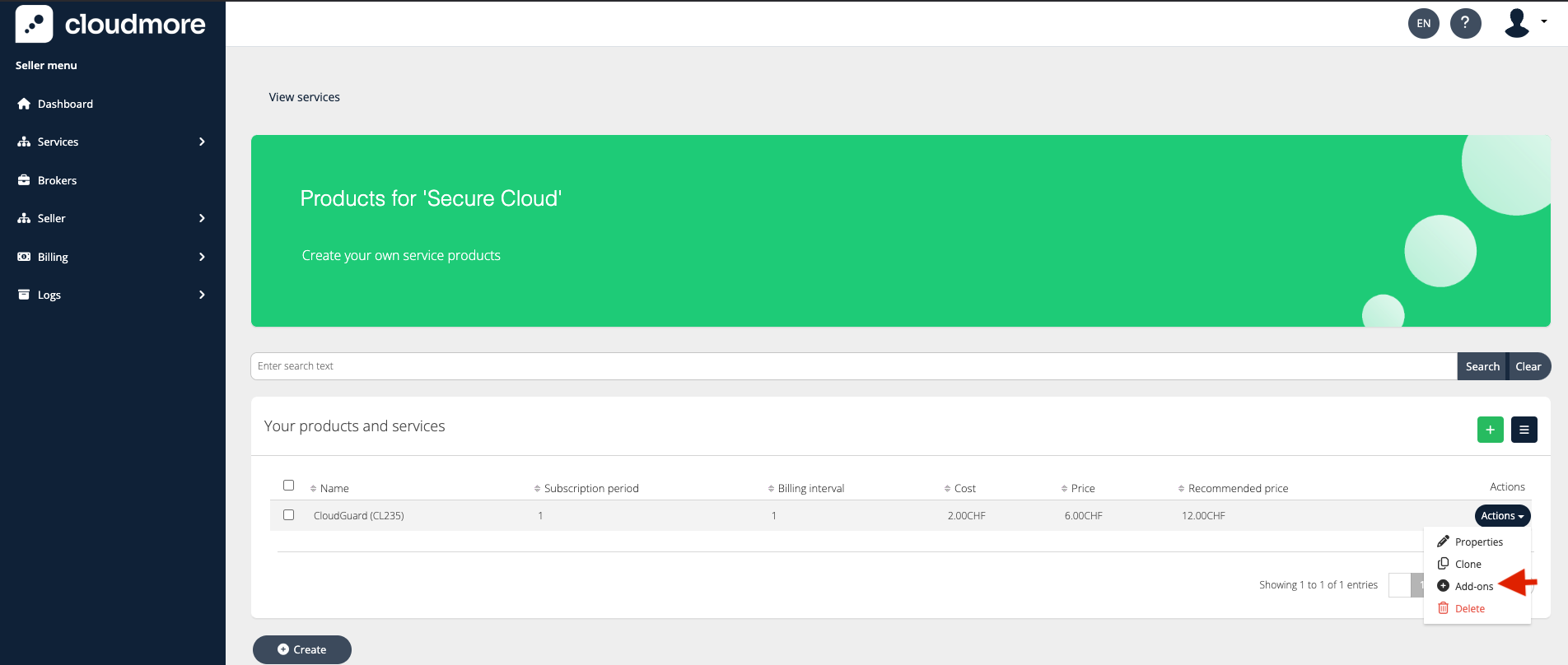
Click on Actions > Add-ons.
-
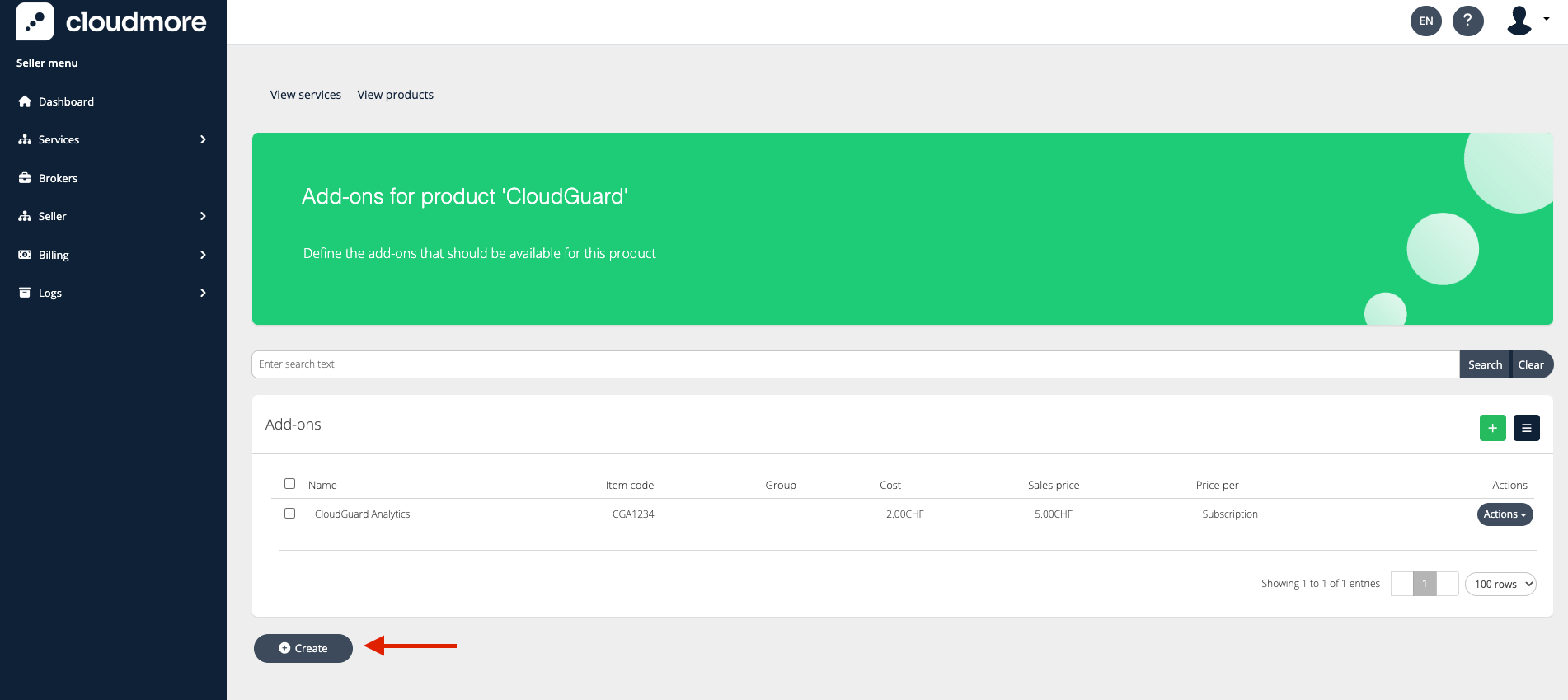
Click on Create to create a new add-on for a product.
-
Enter the fields that describe the product add-on.
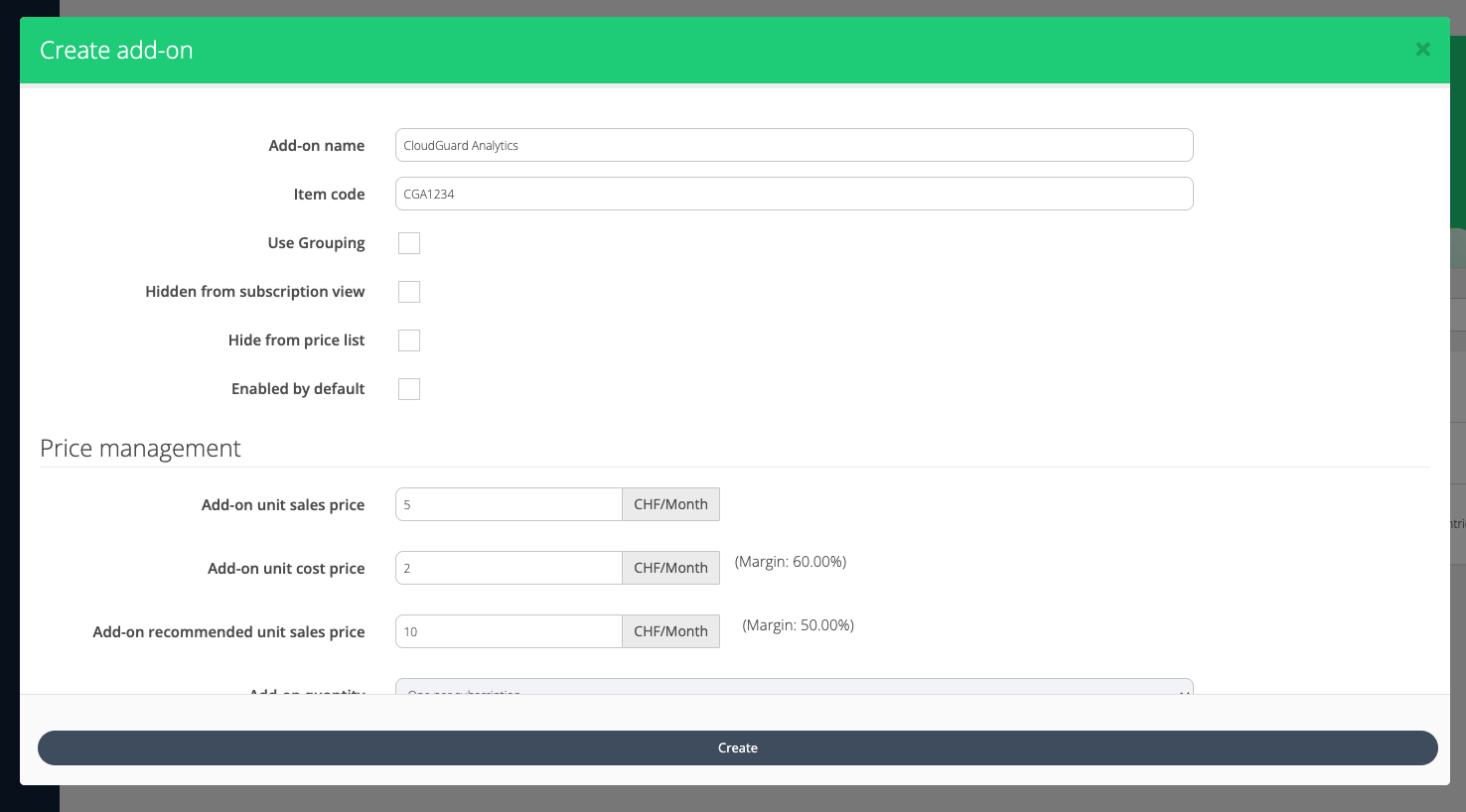
Key fields for Product Add-ons
-
Add-on Name: The name of the add-on how it will be displayed to the end user.
-
Item Code: A unique item code to identify this add-on.
-
Use Grouping: Select grouping to make it so that only one add-on from each group can be chosen.
-
Hidden from subscription view: Make the add-on not visible when creating or editing a subscription. Use this when you don’t want to give the Organization user a chance to enable or disable (or even see) this option.
-
Hidden from price list: Make this add-on not be visible in the Broker and Organization level price lists.
-
Enabled By Default: Makes the add-on Enable = checked by default when creating a subscription.
-
Add-on Unit Cost Price: The initial unit cost price for the add-on.
-
Add-on Unit Sales Price: The initial unit sales price for the add-on.
-
Add-on Recommended Unit Sales Price: The default sales price of the add-on when Broker sets no other sales price.
-
Add-on Quantity: Limit the number of product add-ons that can be added.