
Overview
The purpose of the Seller user is to access service and product settings. Also to set product cost prices.
To improve security, Seller level users should be limited to a small number of users. This helps prevent accidental changes that could disrupt critical configurations.
Seller level user roles
|
Role |
Description |
|---|---|
|
Seller Global Admin |
User role with all permissions |
|
Seller View Only Admin |
Same as Seller Admin role but with view only permissions. |
|
Seller Billing Admin |
User role with admin permissions on all billing related pages. |
|
Seller Service Admin |
User role with permissions to managing service and products with assigned services. |
Steps Involved in Seller User Management
Add New User
-
Log in to Cloudmore with your seller account.
-
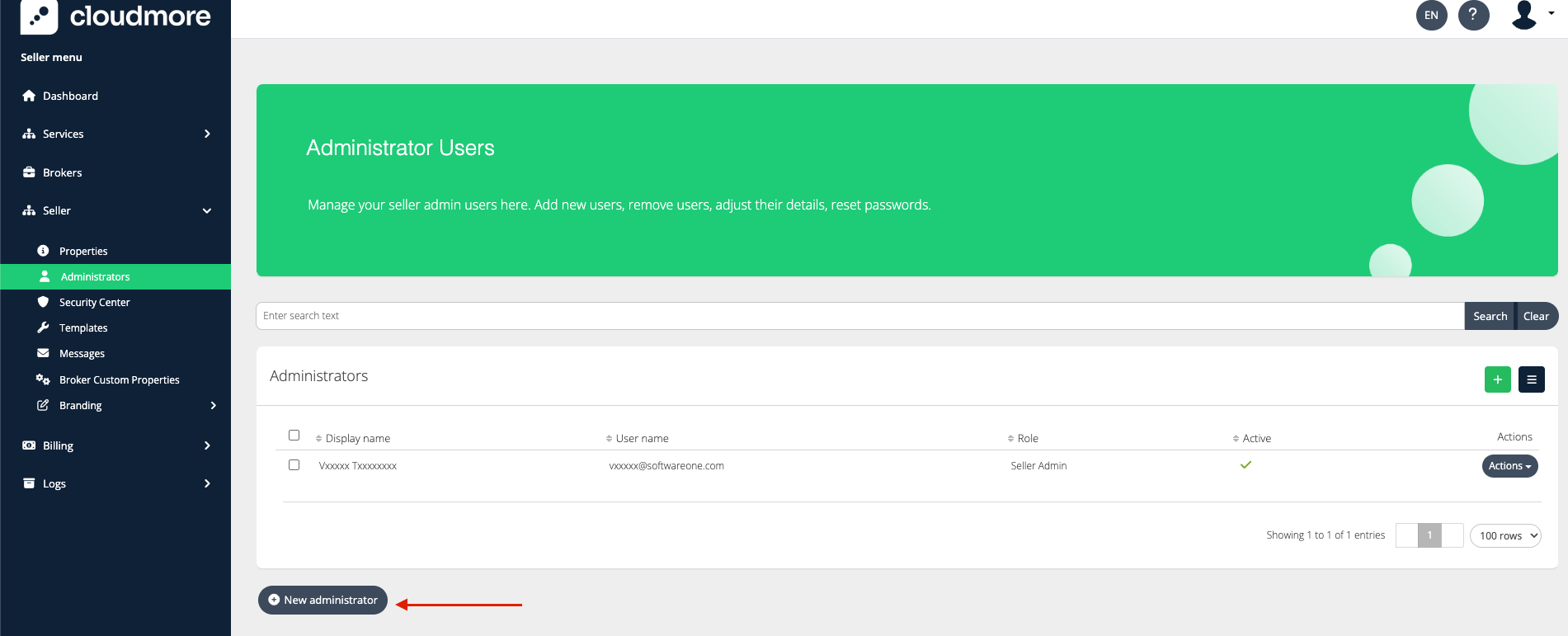
Navigate to Seller > Administrators
-
Click on New Administrator
-
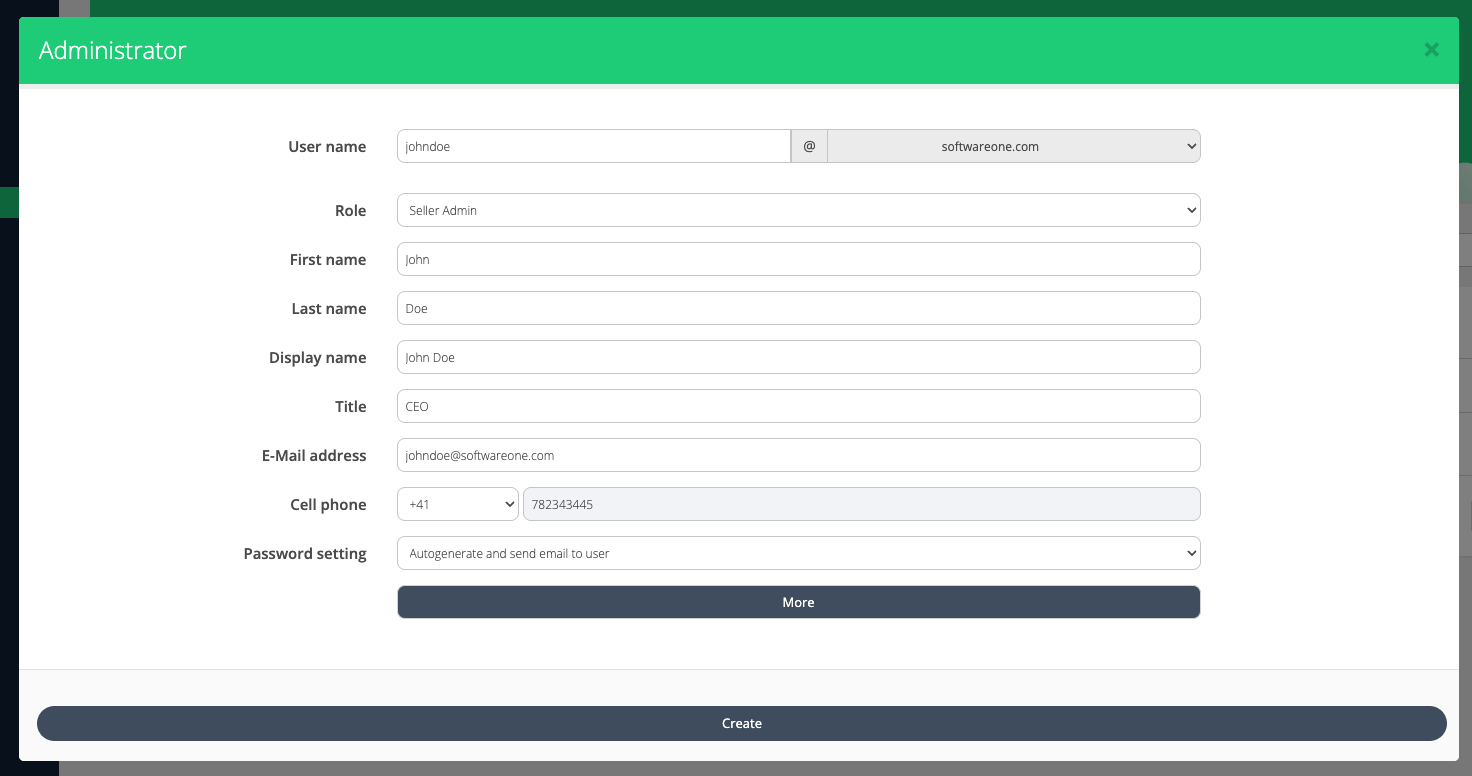
Fill in the details and click on Create.
Edit User
-
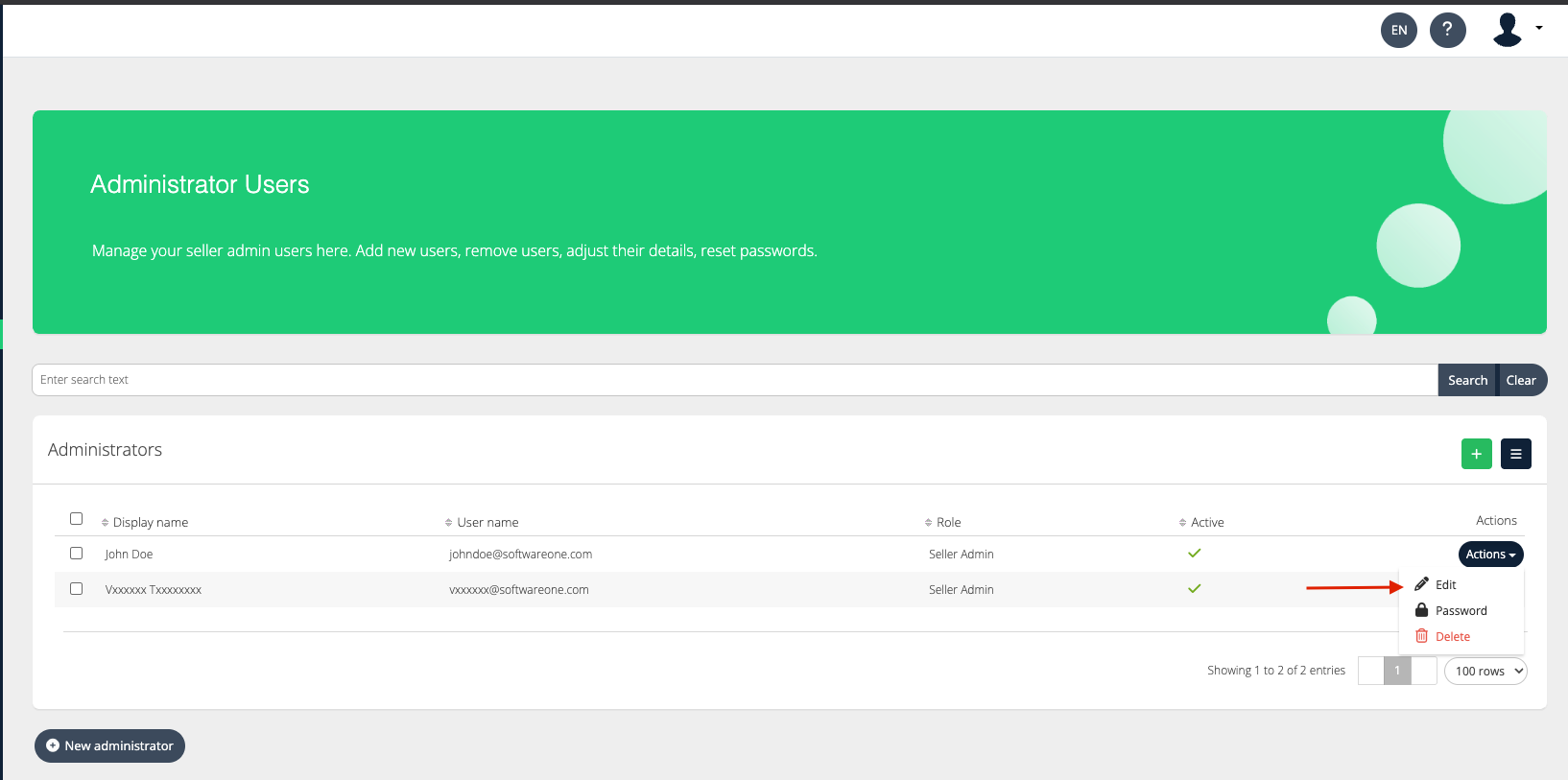
Find the user you want to update, then click Actions > Edit.
-
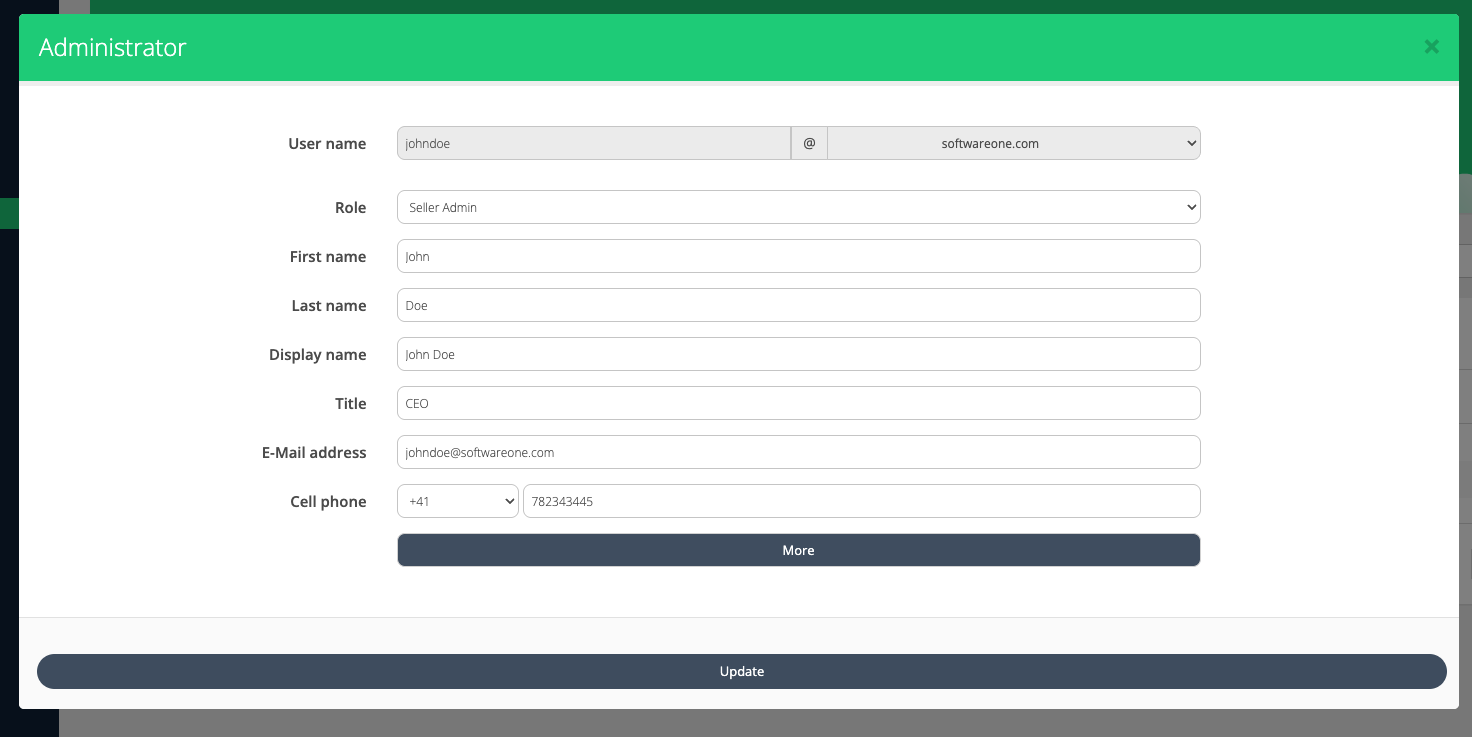
Make the necessary changes and click on Update.
Edit Password
-
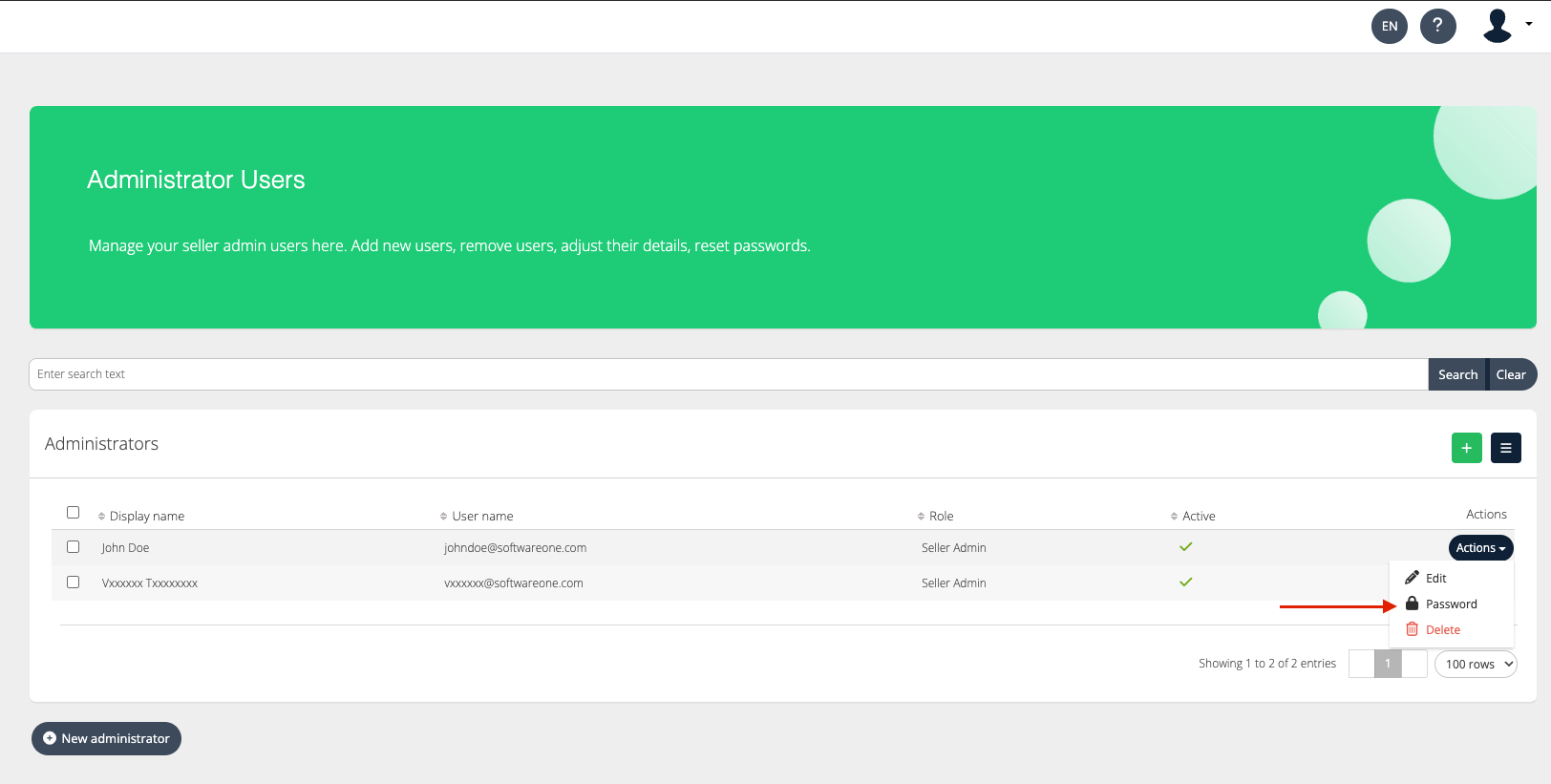
Find the user whose password you want to update, then click Actions > Password.
-
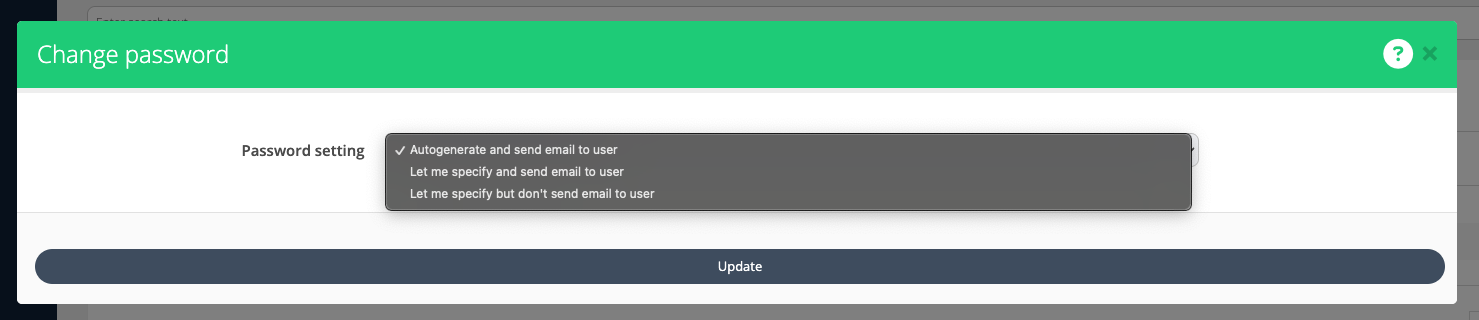
Select how you wish to update the password and click Update.
Delete User
-
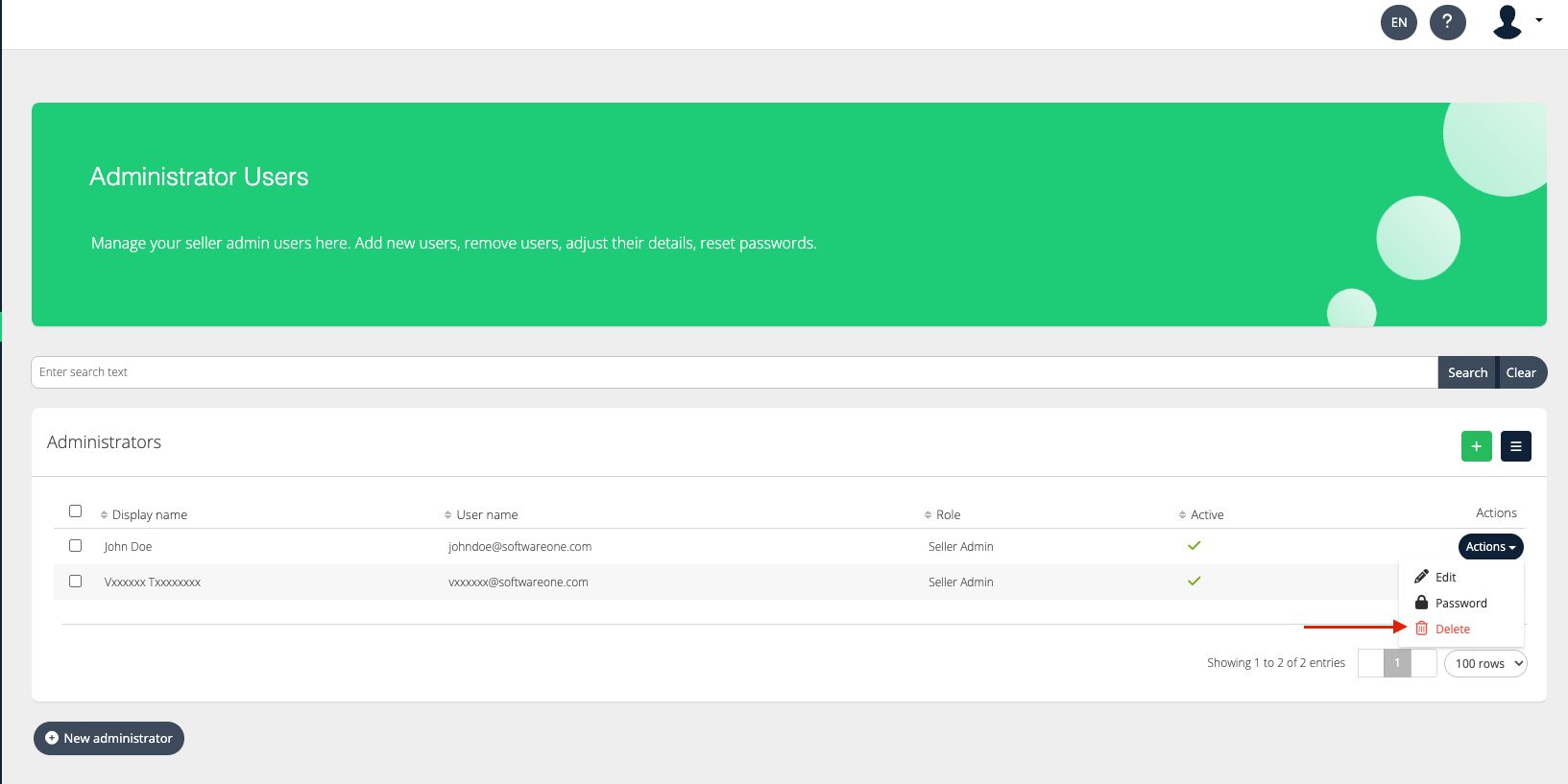
Find the user whose password you want to update, then click Actions > Delete.
Export Seller Users
To export the seller user list, click the download icon and select the preferred file format.

Seller User Export on Seller Level
|
Roles → Columns ↓ |
Seller Global Admin |
Seller View Only Admin |
Seller Billing Admin |
Seller Service Admin |
|---|---|---|---|---|
|
Id |
|
|
|
|
|
|
|
|
|
|
|
Name |
|
|
|
|
|
Role |
|
|
|
|
|
displayname |
|
|
|
|
|
active |
|
|
|
|
|
LastAccessedDate |
|
|
|
|