
Overview
This document explains how Azure Plan Consumption items can be grouped and categorized in the Billing Report. It explains the logic that Cloudmore uses to match the Azure Consumption Report to the General Billing Report as closely as possible.
Enabling Azure Data in Billing Report
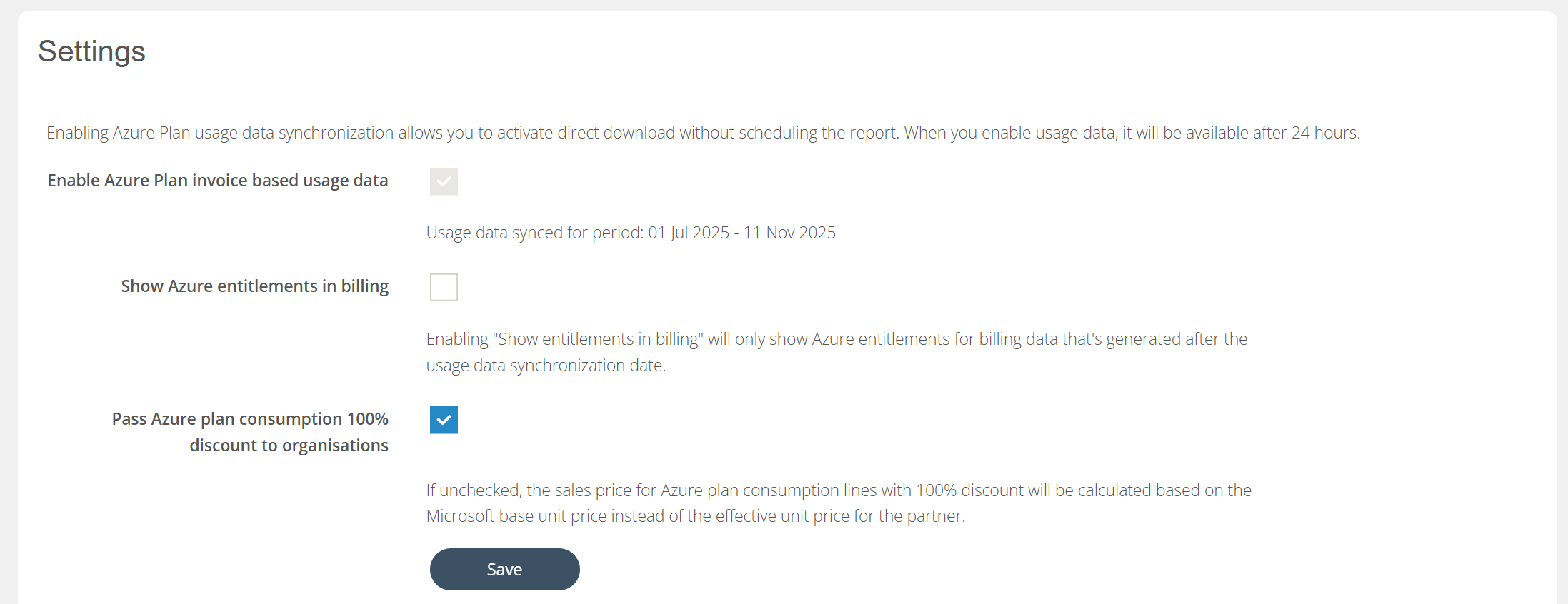
-
Enable Azure Plan invoice based usage data - This is the main control that starts matching Azure Usage data to the Billing Report. Starting from the day this checkbox is checked, the usage data will be matched. This can’t be done retroactively. The period start shows when the checkbox was actually checked. The period end shows current date.
-
Show Azure entitlements in billing - This checkbox controls if the Azure Plan Consumption will be grouped under subscriptions (entitlements) in the Billing Report. This checkbox can be used to either group entitlements or not, depending on the need.
-
Pass Azure plan consumption 100% discount to organisations - This checkbox controls whether brokers pass the full Azure plan discount directly to their organisations.
-
When enabled, the organisation receives the full 100% discount.
-
When disabled, normal pricing applies.
-
It is unchecked by default for new brokers, but enabled for existing brokers to maintain compatibility and prevent breaking changes.
-
Azure Usage Data Matching in Billing Report
When you create your first Microsoft Azure subscription under the New Commerce Experience (NCE), two items are created: a Microsoft Azure Plan container and an Azure subscription underneath that.
The Azure Plan container represents the billing relationship and ensures that any billing from any subscription below the Azure Plan container would be invoiced to the CSP partner.
The Azure subscription allows customers to split their consumption into several logical units. By default, a single subscription is created, but customers can create as many logical subscriptions as they need.
In the Microsoft billing reconciliation file, only the Azure Plan container is available, not the individual subscriptions. As Cloudmore bases our billing on the Microsoft reconciliation data to ensure complete alignment with the Microsoft invoice, we don't get the data needed to understand what billing lines belong to each Azure subscription.
Microsoft also provides usage data with additional details to help you understand your billing. Microsoft has made it very clear that the usage data is not billing data. This is true as some usage data will be billed the month thereafter, and costs do not match exactly the billing file because of rounding, incentives, and other affecting items.
As a workaround, Cloudmore has built logic that tries to match the billing reconciliation file with data from the usage file. This logic has proven to be hard to do as the usage data does not always match. Cloudmore will not match any data that we are not confident matches the data from the usage file. The reason for this is not to falsely put an Azure cost under the wrong subscription. As a backup logic, any data that can't be matched will remain in the Azure Plan container.
When data is matched, we try to match on entitlementId(Azure Plan container ID), productId + SkuId, and quantity. The cost will be assigned to the correct subscription if a precise match is found. It will remain at the Azure Plan level if we can't match it with confidence.