
Overview
Subscriptions can be created at the organization level to provision services and start billing.
Open the Organization
-
Log in to the Cloudmore broker account.
-
In the left navigation, click Manage Organization and select Organizations.
-
Select the target Organization to switch to the organization view.
Open Acronis service
-
In the menu, click My Services.
-
Select Acronis Cyber Cloud.
-
Scroll down and click Subscriptions.
Add subscription
-
Click + Add subscription.
-
Enter the Subscription name.
-
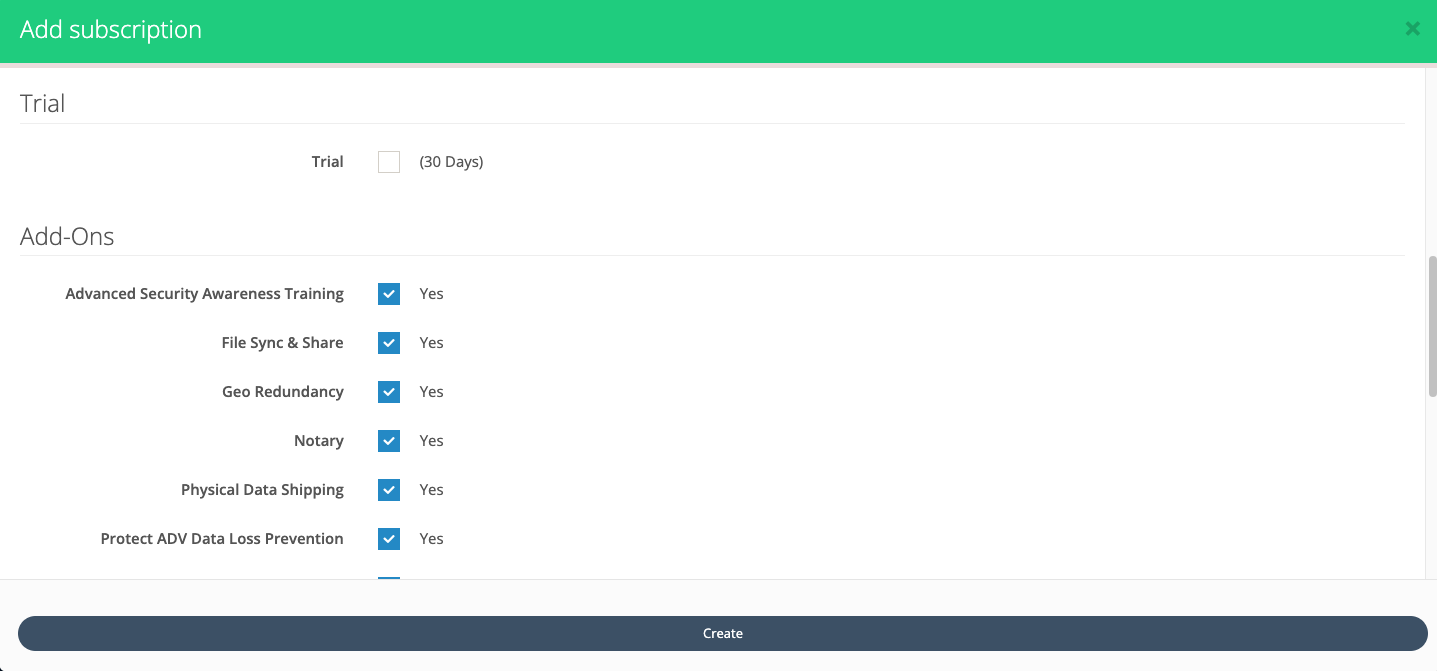
Select the Trial checkbox to include a 30 day trial; the organization will not be billed during this period.
-
Under Add‑Ons, select the Acronis services to enable for this organization.
-
Under Details, choose the Billing Model: per gigabyte or per workload/user.
-
Click Create.
The subscription becomes active and is visible under My Services > Acronis Cyber Cloud > Subscriptions for the organization.