Overview
This is where your customers can configure their own internal approvals process. It can have triggers that are completely independent from your Broker level approval process.
This is solely meant for the internal processes of your customers. Only once they have approved the action internally, it will be passed on to your (Broker level) approval process.
Still, the Broker and each Organization’s approval process can be configured separately and will be triggered respecting each level’s trigger actions and thresholds.
Manage Requests
Filters for Manage Requests
-
Search: This allows to search for approval requests by individual customer, service or action.
-
Approval level: This dropdown allows you to select the level at which the approval was triggered
-
Broker level: Approval requests triggered by Broker approval process
-
Organization level: Approval requests triggered by current Organization approval process
-
-
Status: This allows to filter approval requests by specific statuses.
-
New: A new approval request.
-
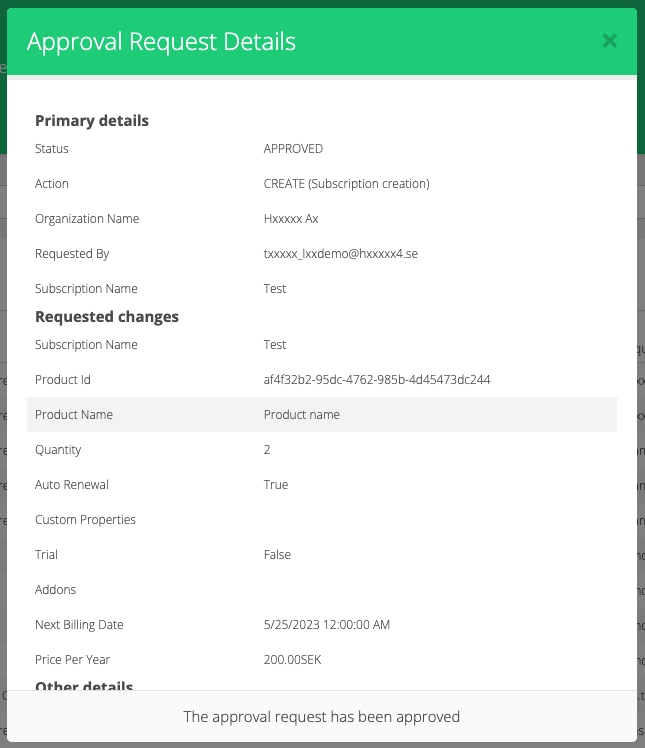
Approved: The approval request was approved by the Broker.
-
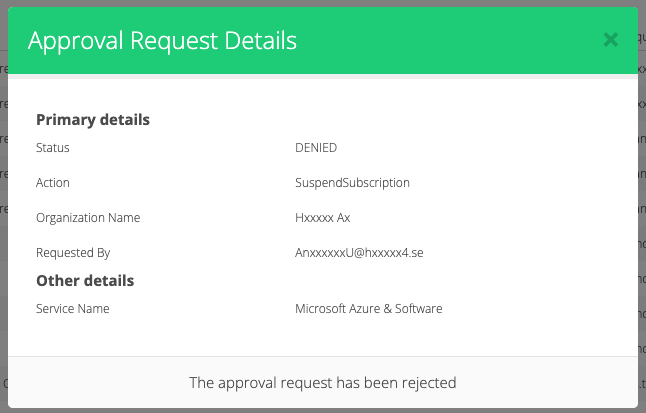
Rejected: The approval request was rejected by the Broker.
-
Cancelled: The approval request was cancelled by the Organization that raised it.
-
Organization level: Organization → Approvals → “Manage requests” tab
The Broker level and Organization level approval requests can be viewed and managed here.
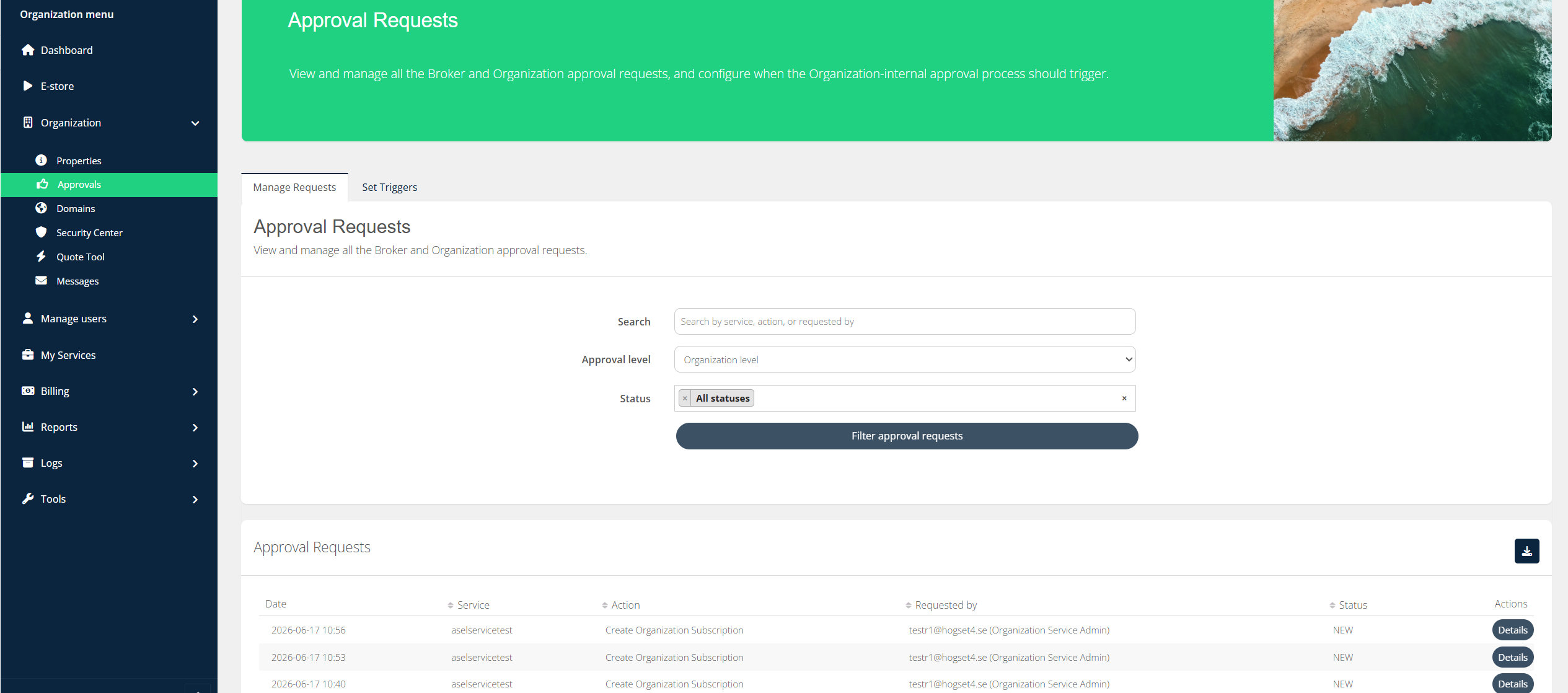
The Organization user who has triggered an approval request (on either Broker or Organization level) also has the ability to Cancel their own requests. They can either do that here or on the Subscriptions pages on Organization level.
The Organization user roles or groups who are assigned to be as “Approving users” can either Approve or Reject the Organization level approval requests.
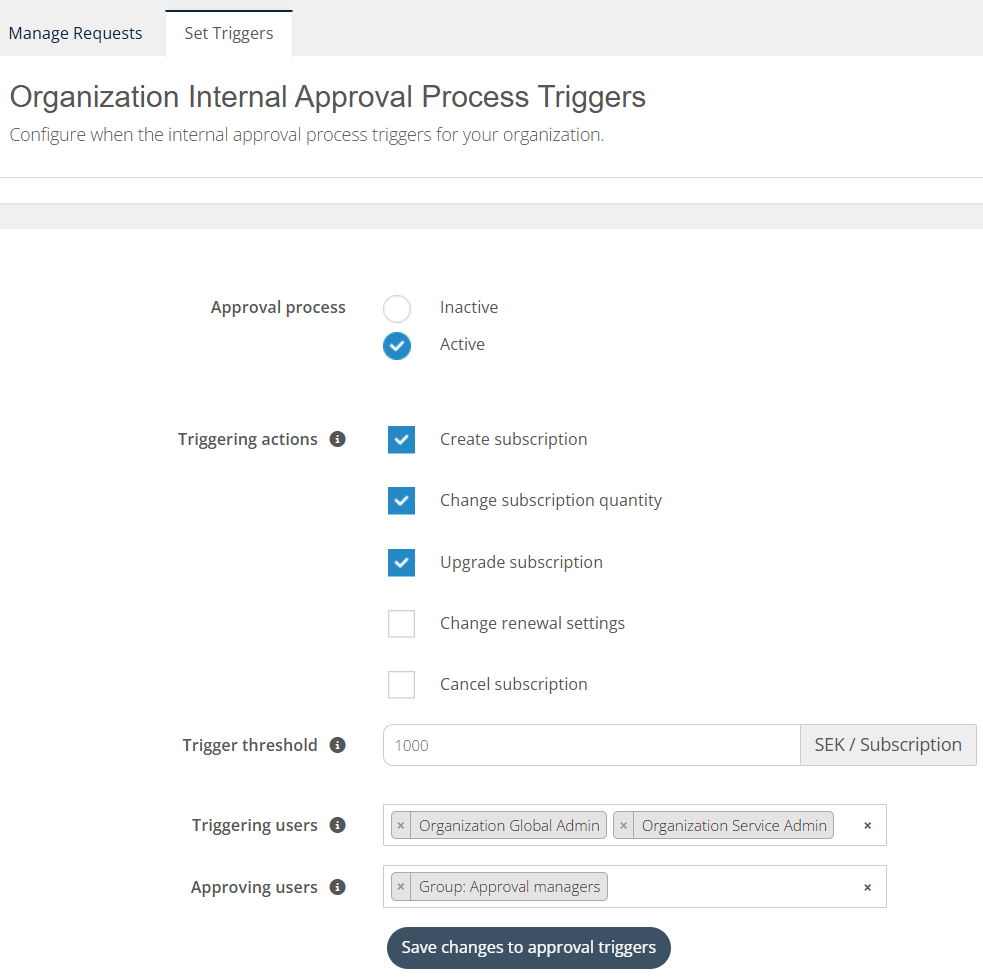
The Organization Global Admins can also configure the approval triggers under:
Organization level: Organization → Approvals → “Set Triggers” tab
Triggering Approval Requests as an Organization
Approval requests are automatically created when an Organization Admin tries to perform an action that requires approval, and the cost goes over the organization’s set threshold.
Pre-requisites
-
The broker must have enabled the approval process for this Organization with the following settings:
-
Approval Process set to “Active” for this Organization
-
Organization Admin is selected to be part of the “Triggering users” group
-
Organization Admin performed an action that is part of the “Triggering actions”
-
Subscription total sales price value exceeds the “Trigger threshold”
-
Manage Approval Requests
👤 Organization: Organization Admin
-
Navigate to Organization > Approval Requests
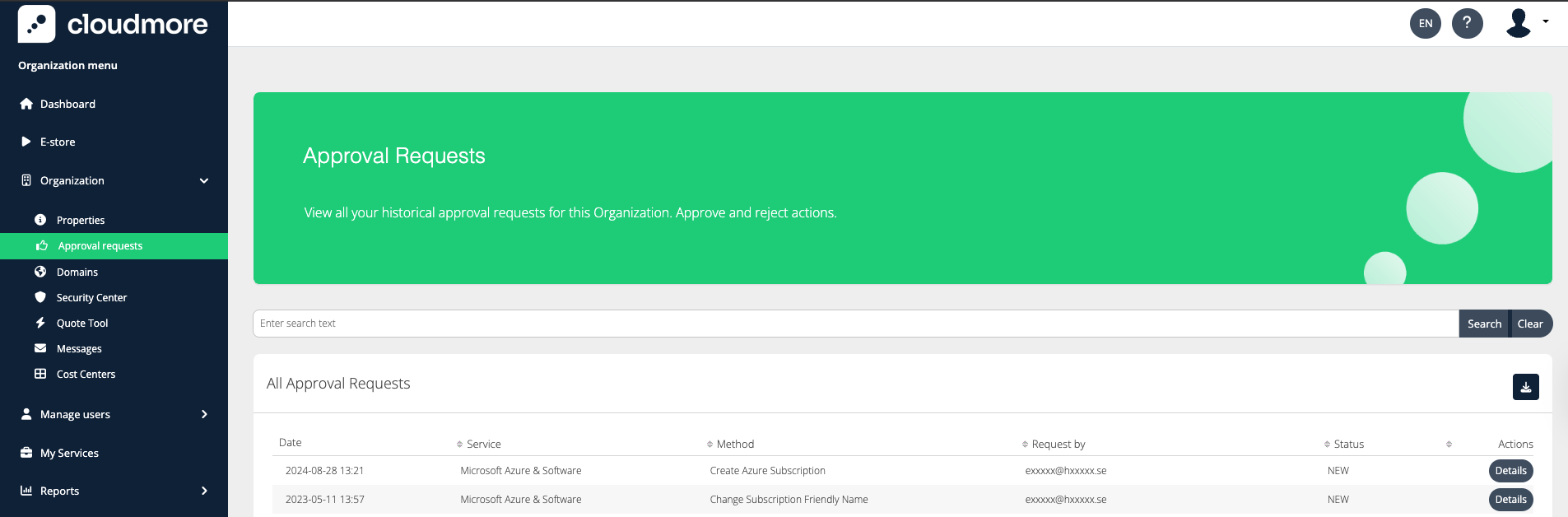
-
Click on details to view the details of the approval request. As an organization admin, you can only cancel the request.
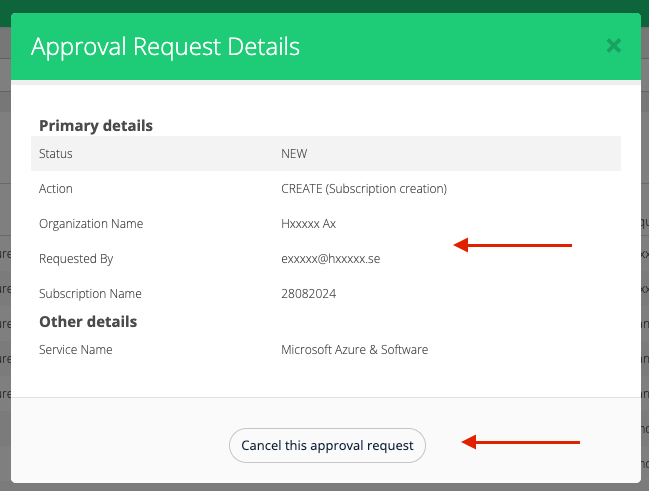
A request awaiting decision